NorthCUA, an open model that uses a computer by looking at the screen, scores 88.6% on OSWorld
Three Apache 2.0 models from Shanghai's Beipo team click and type their way through desktop and web apps. A 121-page report explains how experience at scale trained them.

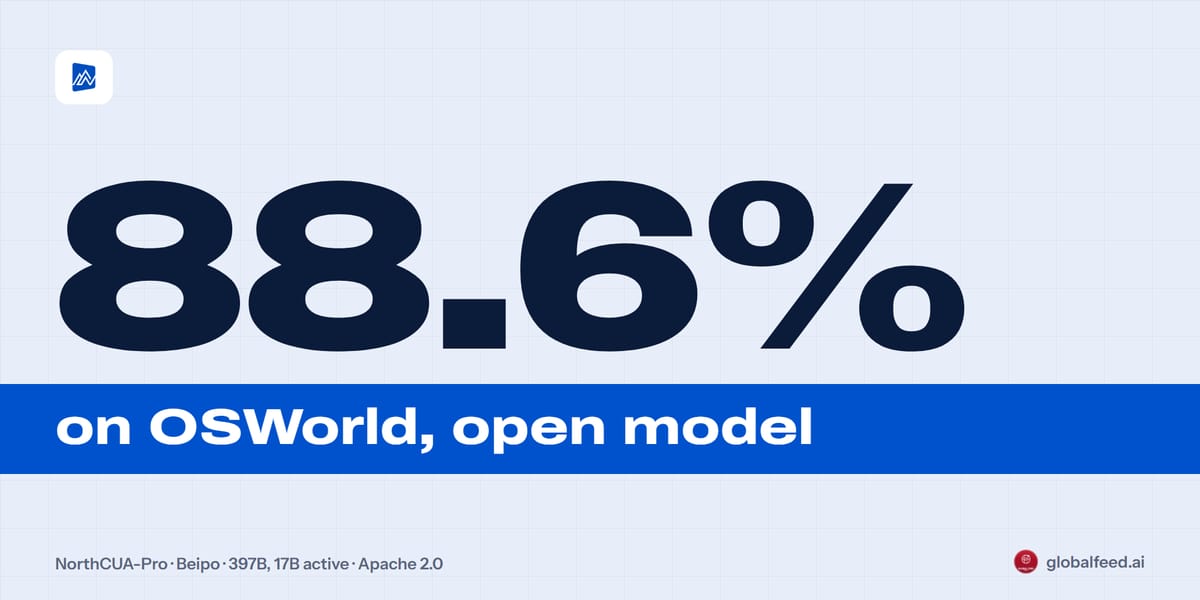
Picture an AI using your computer the way you do: it looks at the screen, finds the right icon, clicks, types, filters a spreadsheet in LibreOffice and saves it, builds a scene in Blender. NorthCUA, released between 1 and 3 November by the Beipo team at Shanghai-based Qiji Zhifeng, is an open model family built for exactly that. It comes in three sizes: the 9-billion-parameter Nano; Mini, with 35 billion parameters of which 3 billion are active per step; and Pro, with 397 billion parameters and 17 billion active. Pro scores 88.6% on OSWorld-Verified, the best-known exam for computer-use agents. All three are on Hugging Face under Apache 2.0, together with the open-source NorthCUA Harness that runs them on a real desktop and a 121-page technical report that walks through training step by step.
What this is about
Most AI assistants today talk to software through an API. Much of the software people use at work has no such door: an accounting package, an old admin panel, a design tool. That is why computer-use agents are interesting: they operate the program like a person, by looking at the screen. The job has two hard parts. One is grounding: finding exactly where the "Save" button is on a crowded screen. The other is endurance: finishing a 100-step task without one wrong click wrecking it.
NorthCUA's main claim is about the second part. The team built all three models on Alibaba's open Qwen3.5 models, and the report shows the gap clearly: the unmodified Qwen3.5 models score 41.8%, 54.5% and 62.2% on OSWorld-Verified, while NorthCUA models of the same sizes reach 78.9%, 85.3% and 88.6%. What made the difference was experience gathered on thousands of virtual computers, with the model size unchanged.
How it works
At each step the model receives the user's request, a screenshot and the history so far. It returns a short piece of reasoning, text if needed, and a tool call: click, type, scroll, drag; on web pages also direct actions on page elements, navigation, form filling and tab handling. Screen positions use coordinates scaled from 0 to 1000, so (500, 500) is always the centre. NorthCUA Harness converts them to pixels. The context window is configured at 262,144 tokens.
The Harness is model-agnostic: it also works with OpenAI, Anthropic and Gemini interfaces, as long as the model reads images and makes structured tool calls. It needs Screen Recording and Accessibility permissions on macOS, X11 on Linux and an unlocked session on Windows. It can also run in the cloud with E2B Linux templates or an OSWorld-compatible server.
How it was trained
The report describes training as a three-part loop: the Harness that runs the model, an "Experience Flywheel" that produces experience, and three stages of learning. The updated model goes back into the same Harness and collects new experience.
Teaching it to find things on screen. The team prepared about 40,000 grounding examples from public UI datasets, screenshots collected on the web and screenshots agents captured on real Linux desktops. OmniParser located the controls, accessibility data named them, and a language model wrote several queries for each control by name, position or function. Controls whose purpose is unclear from the icon got their own route: an agent identifies the app and version, searches the online manual and matches the manual's picture to the control on screen. The report's example is the "Legato Slide" button of a bass plug-in in FL Studio.
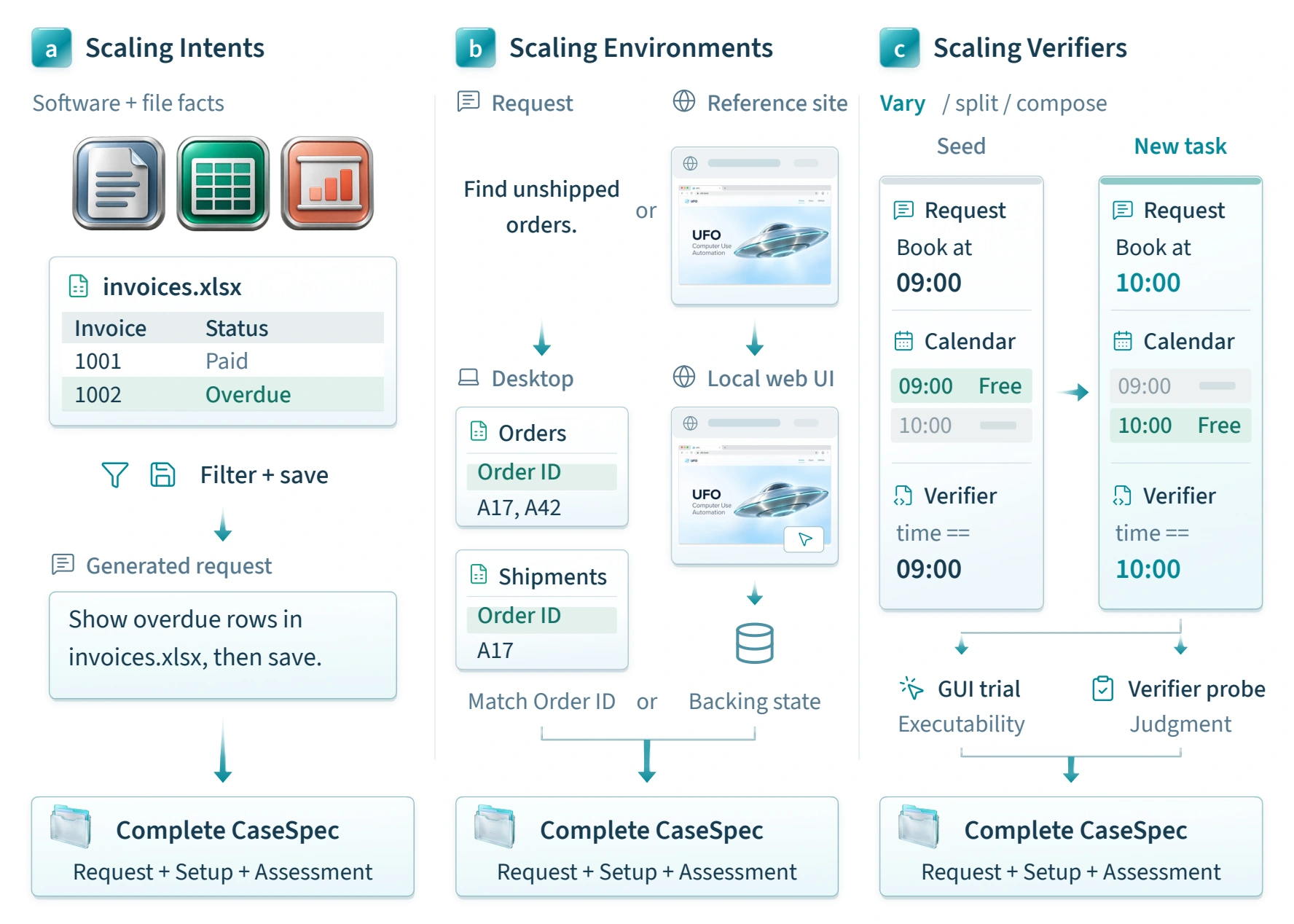
Making tasks. Each task is a package: a request, an environment setup and an assessment of the result. Packages are multiplied three ways. In the first, tens of thousands of files from open sources plus agent-made files go into virtual machines with apps installed, and a language model writes requests while playing different user personas; long jobs are planned with step dependencies. In the second, tens of thousands of real user requests are collected from forums, wikiHow and help pages, and an agent called EnvAgent builds the files and setup each one needs; web tasks use open-source sites and rebuilt copies of public sites. In the third, existing task and verifier pairs are split, varied and combined, so "book at 09:00" becomes "book at 10:00", and every new verifier is tested with both right and wrong examples.
Solving hard tasks on its own. Some long jobs the model cannot finish in one go. The team built two routes for these. In one, the agent explores, writes what it learned into a skill note, a separate agent checks the note, and the agent tries again. In the report's dashboard example, the first version of the note produced horizontal bars in the wrong colours; with the second version the task passed all 26 final checks. In the other route, a snapshot of the virtual machine is saved at every verified milestone and the search branches like a tree; failed branches are kept out of the training data, and even partial attempts can become sub-task examples.
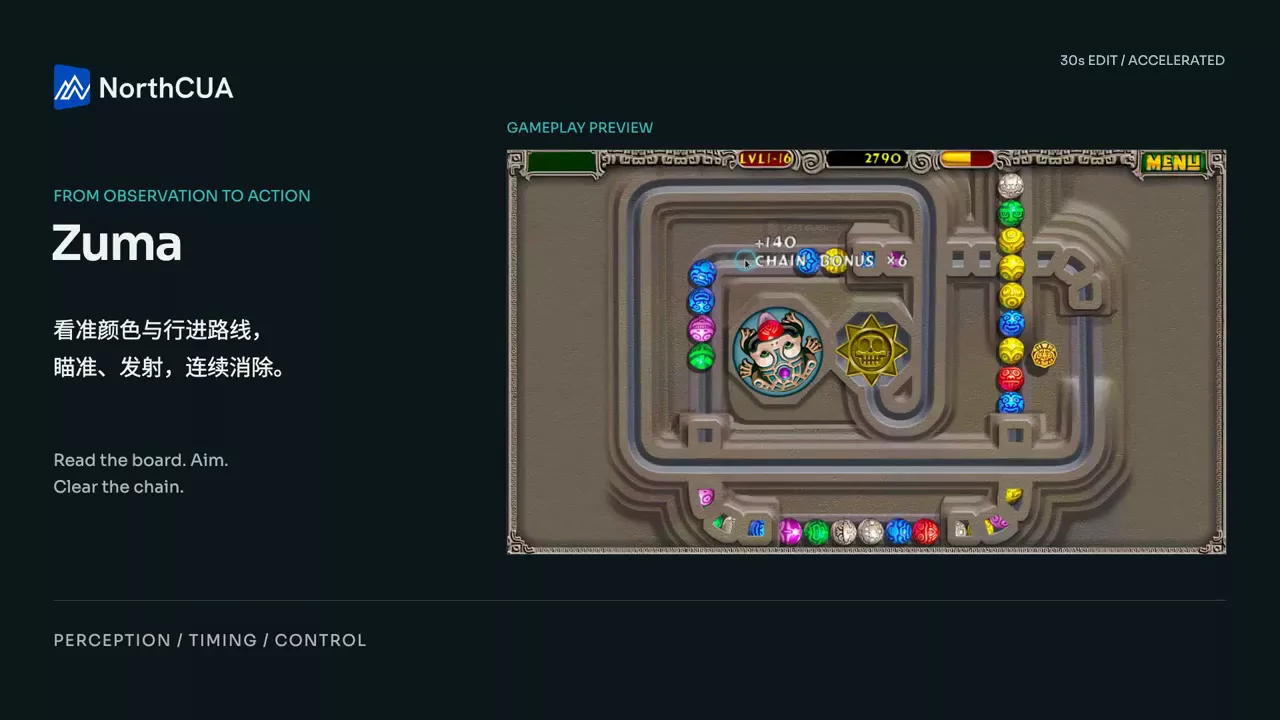
Stage one, broad mid-training. More than 100,000 trajectories and more than 4 million screen steps: about 100,000 desktop tasks with 4.2 million steps and about 10,000 web tasks with 280,000 steps. The software covered includes LibreOffice Calc, Writer and Impress, GIMP, Inkscape, VLC, Thunderbird, VS Code, FreeCAD, Blender and 3D Slicer; on the web, search, form filling, front-end testing, browser games and sliding puzzles. A judge agent selected the trajectories, and grounding examples were used only in this stage.
Stage two, verified long tasks. About 3,000 trajectories and 310,000 steps, averaging 120 steps on the desktop and 70 on the web. Only attempts whose result passed the task's own verifier were kept. Broken tool calls and unproductive loops were removed, while sections where the model noticed a mistake and recovered were deliberately kept.
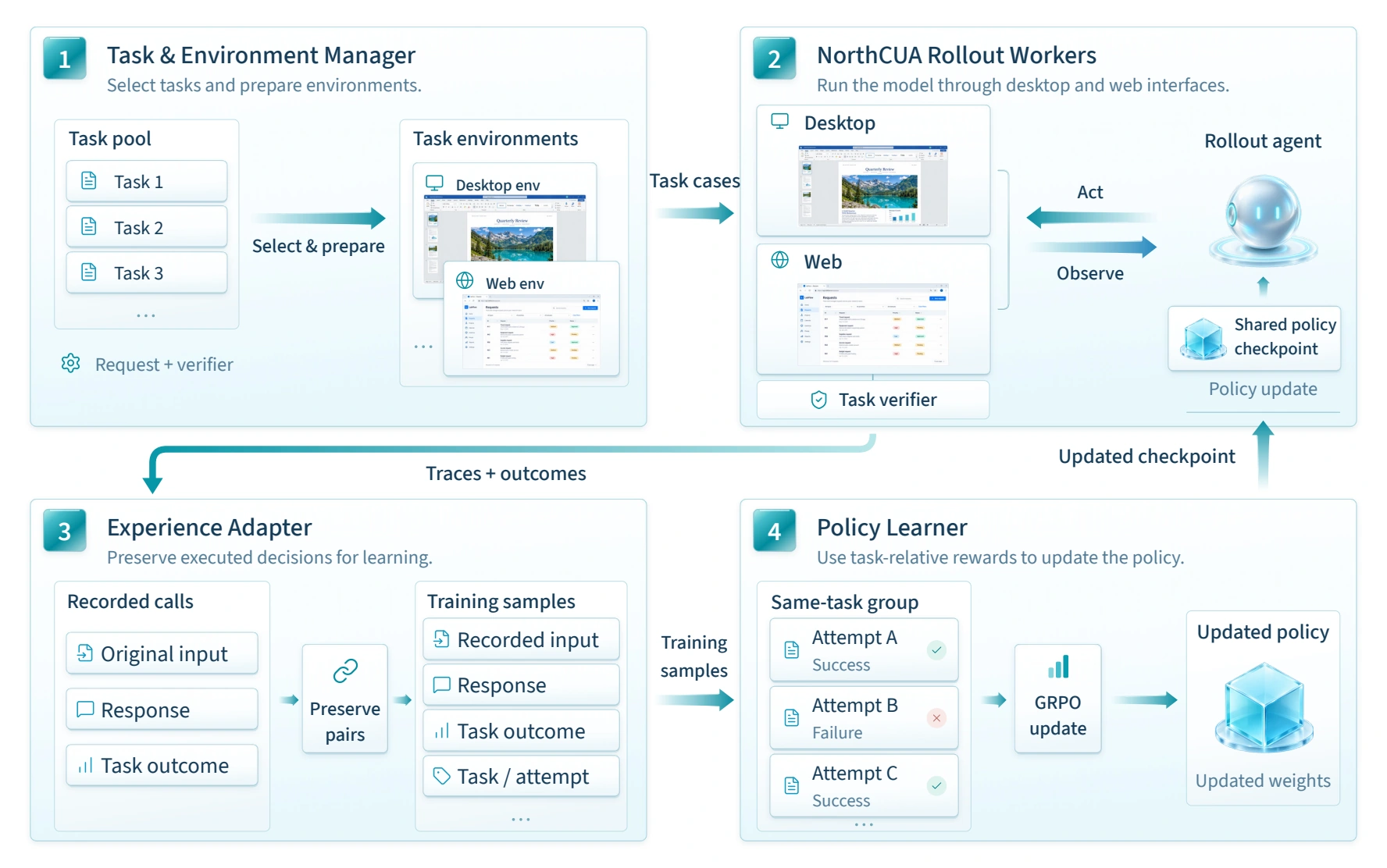
Stage three, reinforcement learning. The team ran every task at least five times with the stage-two model and kept only tasks whose outcome varied between attempts, since a task that always succeeds or always fails teaches nothing. That left about 1,500 desktop and 500 web tasks. Each attempt ran in its own E2B virtual machine. The reward comes only at the end: did the verifier pass or not. Attempts at the same task are compared with each other (GRPO); the report's example is a Thunderbird task where five of eight attempts succeeded and three failed. Because screenshots take so much space, lossless compression was used and the data moved shrank by 97.2%, with a typical batch going from 110.9 GiB to 2.7 GiB. The updated model reaches the workers in a median of 87.7 seconds.
What each stage added. On OSWorld-Verified, after mid-training, fine-tuning and reinforcement learning, Nano scores 68.7, 76.1 and 78.9; Mini 68.3, 83.3 and 85.3; Pro 75.8, 85.9 and 88.6. The biggest jump comes in stage two with verified long tasks. On the web exam WebArena-Verified, Pro goes from 69.1 to 69.6 and then to 73.9, so on the web it is reinforcement learning that pays off. The report does not give learning rates, epochs or total compute.
How good it is
According to the report, Pro scores 93.3% on the grounding exam ScreenSpot-Pro, 91.0% on OSWorld-G, 88.6% on OSWorld-Verified and 73.9% on WebArena-Verified. The team writes that the 397-billion-parameter Pro beats the trillion-parameter-class Qwen3.8-Max and Kimi-K3 on these four. Against closed models the picture is mixed, and the report says so. In grounding, Claude Opus 5.5 is listed as the strongest closed reference at 88.1 on ScreenSpot-Pro, with Pro ahead of it. On WebArena-Verified, GPT-6 Astra at 71.6 and Claude Fable 5 at 71.3 sit slightly behind Pro. On the newer and harder OSWorld 2.0, Claude Fable 5.1 (41.7% full success, 77.9 partial score) and Claude Opus 5 lead, with Pro at 30.6 and 66.8. On WebTestBench, which tests web apps, Pro's F1 of 60.3 is the top result.
The report also has a speed experiment, NorthCUA-Ultrafast. For steps with a limited set of choices, such as clicking, hovering or ticking a box, the model decides directly with a small choice layer instead of generating text, and switches back to normal generation when it needs to type. On WebArena-Verified this cut time per task from 616.8 to 266.8 seconds, 2.3 times faster, while success went from 64.2% to 60.6%. The experiment used a Nano version from before the released models.
Where it struggles
The report lists the weak spots too. On web tasks that span several sites, success is 35.4%, against 76.3% on single-site tasks. 38.4% of Pro's decisions are spent in attempts that end in failure. Because the reward comes only at the end, it is hard for the model to learn which step went wrong; the team sees rewarding intermediate steps as a next step. For real-world use the advice is clear: give the agent only the permissions it needs, ask for confirmation before consequential actions, and test against instructions hidden in web pages.
How to try it
The models are on Hugging Face as Nano, Mini and Pro, at about 18.8 GB, 70.2 GB and 793.6 GB. Nano is sized for a single strong GPU; Pro needs a multi-GPU server. The models load in bfloat16 with Transformers; vLLM and SGLang are mentioned, but the team says compatibility with those engines is not yet validated. NorthCUA Harness installs with Python 3.12 and uv; northcua demo serve runs a tutorial with no API key, and northcua local web run and northcua local desktop run do real work. With NorthCUA models, set the coordinate policy to normalized_1000.
Computer-use agents have mostly been the territory of closed models. NorthCUA gives anyone who wants to try this with an open model, on their own machine or server, three sizes to choose from, along with one of the rare reports that explains in detail how the data was made, how tasks were verified and what each stage added. All measurements come from the team's own report; there is no independent evaluation yet.
Sources: NorthCUA announcement, Technical report, NorthCUA-Pro model card, NorthCUA-Mini, NorthCUA-Nano, NorthCUA Harness