GPT-Live-1.1 in the API: what does standby mode do to a voice app's quiet minutes?
OpenAI opened GPT-Live-1.1, with better pronunciation and accents across languages, to developers. Standby settings, pricing, session setup and moving from 1 to 1.1.

The most expensive moments for a voice assistant are often the quiet ones. While the user thinks, looks something up or puts the phone down, the connection stays open and the model keeps listening. With GPT-Live-1.1, released to developers on November 19, OpenAI introduced a separate, cheaper rate for those silent minutes. According to the changelog, the new version improves pronunciation, accent consistency and transcription in multilingual voice conversations, and it arrives alongside a standby mode.
When the GPT-Live family reached the API in September, it set up a single model that both listens and speaks while handing reasoning and tool calls to a larger backend model when needed. Version 1.1 keeps that design and targets two concrete pain points for voice developers: keeping a voice consistent across languages, and the bill for idle time. Here is what the new version brings, how to turn on standby and how to move from 1 to 1.1, based on OpenAI's documentation.
The idea: a voice model that listens while it speaks
Classic voice assistants take turns: you stop, they talk. GPT-Live is full-duplex; in the words of its model page, it can listen while it speaks. It can stop when you interrupt and keep the conversation alive with short acknowledgements. While the front-end voice layer stays quick, longer thinking or web searches go to a backend such as a GPT model. In its September announcement, OpenAI said this design simplified one customer's code base by 80%.
What 1.1 changes
The model page says GPT-Live-1.1 transcribes speech more accurately and keeps a more consistent accent and voice across languages. In practice, a conversation that switches between two languages, or drops an English product name into another language, should no longer sound like a different speaker. The model id is gpt-live-1.1; it takes audio and text in, produces audio and text out, supports streaming and function calling, and runs only on the Live endpoint (v1/live/sessions). OpenAI has not published separate eval scores for 1.1.
The changelog notes one more convenience: with 1.1 you can describe in plain language in the system prompt when to hand work to the backend. According to the prompting guide, lines such as "Delegate to the backend" or "Do not delegate" are enough; GPT-Live-1 required a special token for this.
How standby works
According to the live conversations guide, standby keeps the WebRTC connection open while idle and pauses model inference. When someone speaks, inference resumes; the connection and session ID stay the same and the conversation history is restored. A few fields turn it on:
- 1. When creating the WebRTC session, set
session.wake_policy.typeto"speech". - 2. Set
session.idle_timeout_sto a value from 5 to 60 seconds; after that long with no input or output transcript, the session returns to standby. If you leave it out, inference stays active after the first wake until the session ends. - 3. Tune wake sensitivity with
session.wake_policy.vad_thresholdbetween 0 and 1; the default is 0.5 and higher values require stronger evidence of speech. - 4. Keep the microphone track active and listen for
session.resumedandsession.pausedevents to update your interface.
The guide is clear about the trade-off: the first response to a short utterance after waking may take a little longer. Standby works only for WebRTC sessions and is available for both GPT-Live-1 and 1.1.
How pricing works
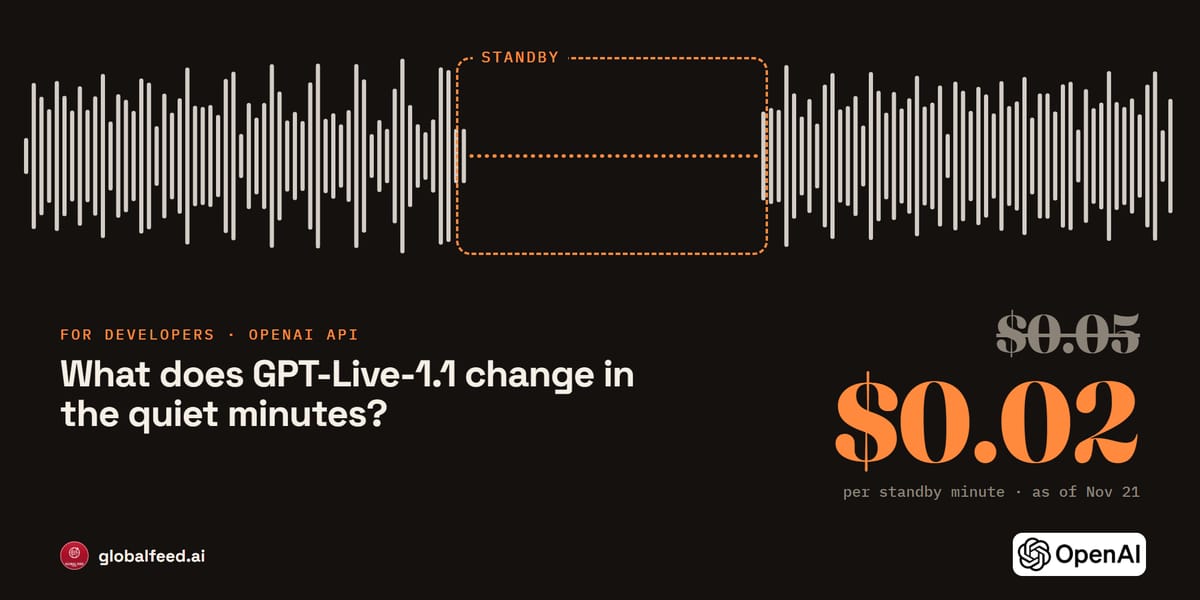
According to the pricing page, as of November 21 GPT-Live-1.1 costs $0.05 per minute in active conversation and $0.02 per minute in standby; GPT-Live-1 has the same rates. Billing runs per second. Backend model and tool usage are billed separately. Creating a WebRTC session bills 15 seconds up front, but that amount is credited against later duration charges, so it adds no extra cost. For a customer service or language practice app with long silences, every idle minute now costs two fifths of the active rate.
Setting up a session
The flow in the guide is short: your server calls POST /v1/live/sessions with the project key, sending session settings and, for WebRTC, an SDP offer. The response returns a session ID and the SDP answer. In the browser, a data channel named "oai-events" is created before the SDP offer, and the conversation starts after the session.started event. Instructions can run up to 16,384 tokens, prior history up to 128 messages and 8,192 tokens, and the default voice is marin. For backend handoff, delegation.type is client or responses; the guide's example pairs 1.1 with a GPT backend that runs web search. A separate sideband connection is available for server-side control and guardrails.
Moving from 1 to 1.1
Per the changelog, switching means changing the model id in an existing Live session configuration; the context events are the same in both versions. The prompting guide adds practical advice: write the prompt in the target language where you can, start from a voice whose regional influence fits and add an accent description, never confirm a price or booking before the backend result arrives, and use session.commentary.append for progress updates the user should hear. For apps that serve speakers of several languages, the multilingual focus of the pronunciation and accent work is the headline.
Sources: OpenAI changelog, GPT-Live-1.1 model page, Live conversations guide: standby, OpenAI pricing