Your own Claude Code theme, Projects and a factory plugin: three new things from Anthropic
Themes through mods in Claude Code, Projects that coordinate parallel sessions, and Claude for Manufacturing with 17 skills. We explain how each works and how to try it.

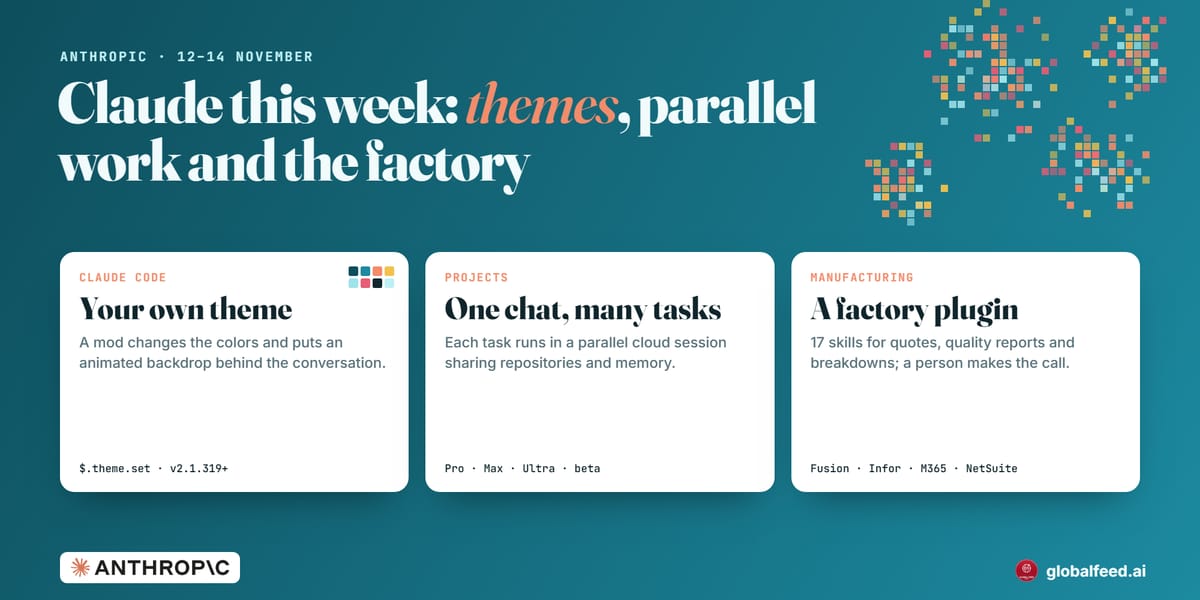
Anthropic's updates this week came from three directions: personalizing how Claude Code looks, running many tasks from one conversation, and bringing AI into everyday factory work. In the Claude Code desktop and mobile apps you can now build your own theme with a mod and put an animated backdrop behind the conversation. Projects splits a goal's work into parallel sessions coordinated from one conversation. And Claude for Manufacturing, introduced on 12 November, is a plugin that takes plant teams' work from quotes to breakdown diagnosis up to the draft stage.
Your own theme in Claude Code
Mods are small extensions that add panes, commands and tool rules to Claude Code. A new section in the docs shows that a mod can now set a backdrop behind the conversation in the desktop or mobile app and change the app's colors: it calls $.theme.set at session start and draws the backdrop itself, and $.theme.clear() removes it. It needs Claude Code v2.1.319 or later; the terminal draws no backdrop.
on('session.start', async ($, e, next) => {
  await $.theme.set({ backdrop: { scene: 'night-sky' }, overrideColorScheme: 'dark' })
  return next(e)
})
You can describe the look you want and let Claude write the mod. Each session has one theme, so a mod that sets a theme replaces another mod's.
Projects: one conversation, many threads
Per the docs, a project is one ongoing conversation where Claude coordinates a stream of related work. You say what needs doing and Claude starts a thread for each task, usually a cloud session sharing repositories, instructions and project memory, running in parallel and continuing after you close your laptop; a task that needs your machine can run there through Remote Control. Paste a bug report or task list and Claude starts a thread or hands it to the one already working in that area, answering quick questions in place. Instructions set once reach every thread, and the Overview pane shows what finished, which pull requests are ready and which thread is waiting for you. Projects is in public beta on Pro, Max and Ultra plans, rolling out gradually, and not yet on Team or Enterprise.
Claude for Manufacturing
Introduced on 12 November, Claude for Manufacturing is a plugin with 17 skills and four connectors. Anthropic cites a 2025 Manufacturing Leadership Council survey in which 79% of manufacturers said they enter data manually. Claude can read a customer request, list what is missing, compare costs on similar jobs and draft a quote; document a failed inspection, check past reports, rank likely causes and draft a corrective action report; read sensor exports, repair notes, photos and manuals to rank likely causes of a breakdown; prepare a request for quotes and compare bids; or compile output, downtime and cost into one production report. Connectors cover Autodesk Fusion, Infor, Microsoft 365 and Oracle NetSuite, and exports saved to Microsoft 365 work for other systems. Infor's own plugin lets Claude, after a buyer's approval, release a purchase order to another supplier and reschedule production, within the buyer's permissions. Skills end with human review, Claude links figures to sources, and the plugin does not operate equipment. It installs on Team and Enterprise plans; tell Claude "Set us up" to begin.
Sources: Claude Code docs: backdrops and themes, Claude Code docs: Projects, Claude: Introducing Claude for Manufacturing