The engine of local AI hits 1.0: what llama.cpp's first stable release changes
llama.cpp and ggml released their first stable version, 1.0.0, after three and a half years. We explain what llama.cpp does, why semantic versioning matters and how to install it.

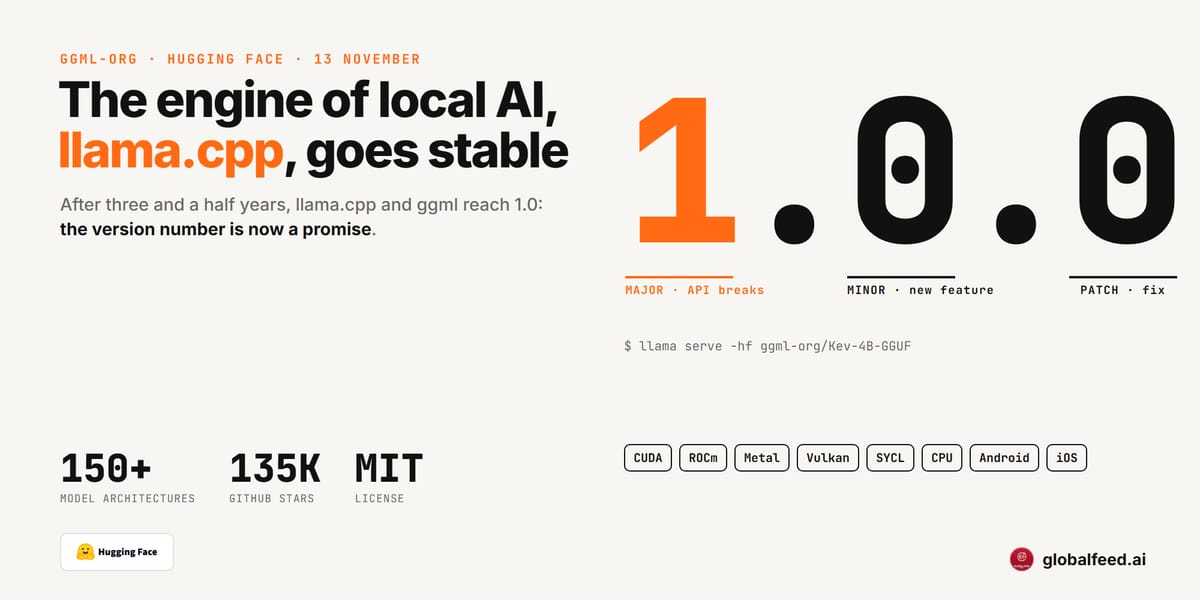
Almost anyone running an AI model on their own computer uses llama.cpp, knowingly or not; it sits under desktop chat apps, local model runners and countless open-source tools. Started in March 2023 as an experiment to run a language model on an ordinary laptop, it has grown into an ecosystem with more than 135,000 GitHub stars. On 13 November it crossed a threshold: llama.cpp and its machine-learning library ggml reached their first stable release, 1.0.0, a sign that local AI is now a foundation companies can safely build products on.
What llama.cpp does
It runs models with a portable C/C++ engine. Two ideas make that possible: quantization, storing a model's numbers in 8, 4 or fewer bits instead of 16 to cut memory and compute, and backends, hardware-specific accelerated code so the same engine runs on NVIDIA, AMD and Intel GPUs, Apple chips, phones and plain CPUs. ggml is designed to run on virtually any hardware, and each backend can be built as a dynamic library loaded at runtime. Models ship in the GGUF format. Today llama.cpp supports more than 150 architecture variants and all mainstream speculative decoding methods; even the decision models we covered last week run on its server through the same interface.
Why 1.0 matters
In software, 1.0 is a promise. The team says many applications now depend on these libraries, so a flexible but stable API is paramount. Both libraries now follow semantic versioning: a breaking change to the public C API bumps the major version, backward-compatible features, backend updates, model support or API additions bump the minor version, and bug fixes with no API change bump the patch. A developer embedding llama.cpp can tell from the version number whether an update will break their code.
Distribution and infrastructure
Prebuilt artifacts cover Linux, macOS, Windows, Android and iOS, with Docker, Debian, Homebrew, conda-forge, MacPorts, Winget and XCFramework channels. The team is investing in CI, using Hugging Face Buckets and Jobs to test every change on the main branches, with self-hosted runners backed by hardware from NVIDIA, AMD, Qualcomm, Arm, IBM and Intel. It also says it integrates LLMs into development thoughtfully, while keeping a high-quality codebase, control of the architecture and understanding of the implementation as top priorities.
How to try it
Install with Winget on Windows or Homebrew on macOS; the MIT-licensed code is on GitHub. A command such as llama serve -hf ggml-org/Kev-4B-GGUF downloads a GGUF model from Hugging Face and starts a local server, and the Llama desktop apps for macOS and Windows ship with llama.cpp for those who prefer not to code.