Claude artifacts become desktop apps: what can an installed app reach?
With Install as app, artifacts run on Mac and Windows in their own window; the steps, three permission levels and admin settings.

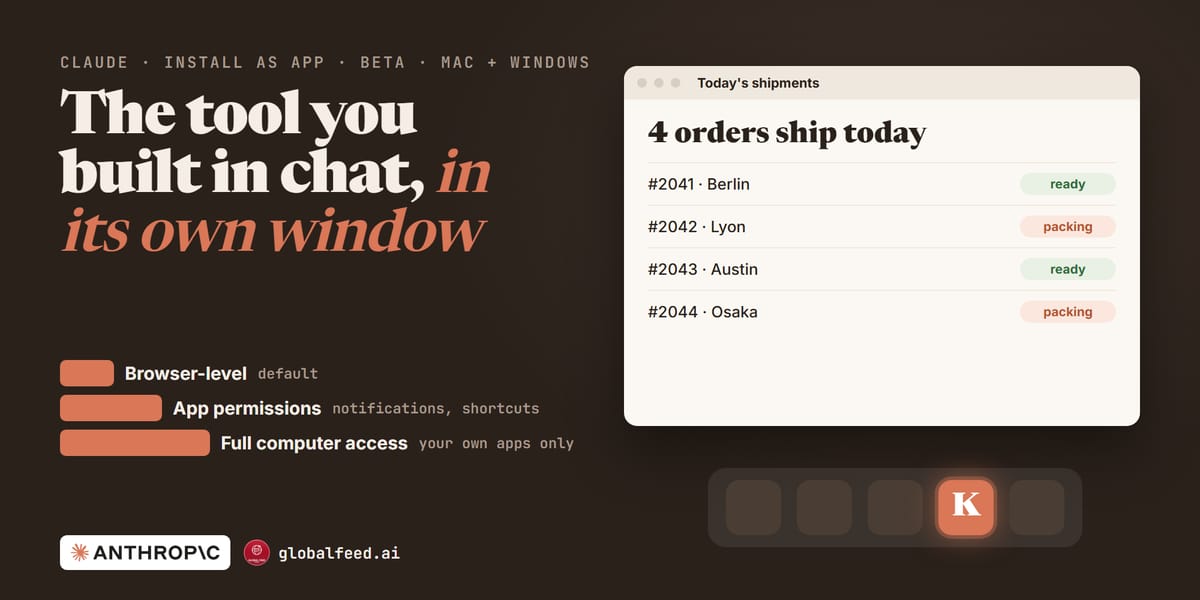
Ask Claude for a meeting-prep page that pulls from your calendar and email every morning, and until now the result, an artifact, lived inside Claude's window. On November 24 Anthropic announced "Install as app": artifacts can now be installed on Mac and Windows as desktop apps with their own icon and window. It is rolling out in beta on all plans.
Anthropic's examples, all built by its own staff, show the ambition: Linnet, a layered image editor; Phosphor, a file manager that looks made for a movie set; Sift, which sets up folder rules and uses Claude to keep files organized; Tern, a terminal with Claude alongside to explain; and Vitals, a menu bar and tray app for watching system performance.
How it works
Update Claude for Mac or Windows, open an artifact and choose "Install as app" from the Share menu. There is no packaging or signing, and no API key or separate login, since the app uses your Claude account. Installed apps can use Claude and your connectors, send notifications, add menu bar or tray items, and update automatically when the artifact is edited. They need you to be online and signed in, their requests count against your plan's usage limits, and Claude Docs, Slides and Sheets cannot be installed. The feature is not available to HIPAA-ready organizations or hybrid deployments.
Three permission levels
By default an installed app can only do what it could in a browser. "App permissions" add common features such as always-on-top windows, global shortcuts and notifications. "Full computer access" lets an app run programs and read, change or delete files without asking each time. Full access is limited to apps you made, or on Team and Enterprise, apps made by people in your organization. Permission covers only the current version and is requested again after every update, even your own edits, and Anthropic says it does not review apps before you install them.
For organizations
On Team the feature is on by default with full computer access off; on Enterprise it stays off until an owner enables it. Admins can toggle app permissions and full access separately. The appeal is clear: a tool you described in plain language can now sit on your taskbar with its own icon instead of in a browser tab.
Sources: Claude announcement