Your phone listens and talks back offline: how speech works in Google AI Edge Gallery
Google AI Edge Gallery gained on-device speech recognition and text-to-speech. Here is how the models were squeezed onto the phone and how to try them.

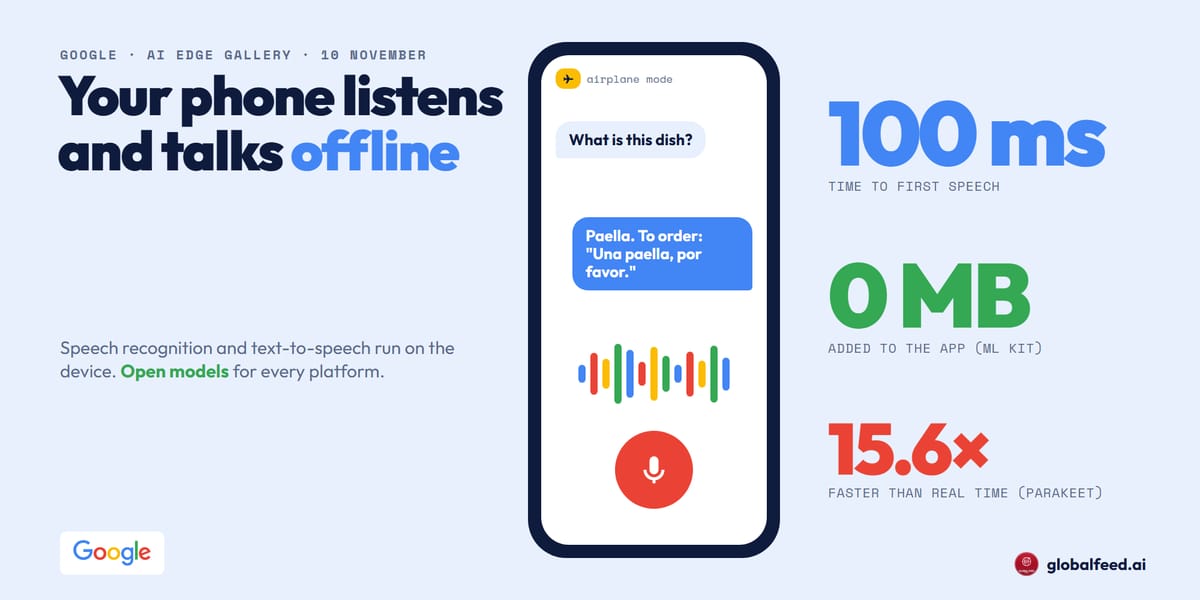
Point your phone at a restaurant menu, ask out loud what a dish is and how to order it, and hear the answer, with the foreign phrase read in its own accent, while the phone is in airplane mode. On 10 November Google described exactly that in an update to AI Edge Gallery, its open-source app for running AI models locally: speech recognition and text-to-speech that run entirely on the device.
Why separate voice models
Multimodal models such as Gemma 4 can take audio directly, but Google proposes a chain of lighter specialists instead: speech recognition turns voice into text, a language model writes the answer, and a TTS model reads it out. Each step is fast on its own and can be swapped without touching the others, and the audio never leaves the phone.
Two tracks
On Android, system models through ML Kit add 0 MB to an app. Google reports 8 to 9% word error rate on FLEURS and about 300 ms to transcribe 3 seconds of speech, plus a few-step diffusion TTS that starts speaking in about 100 ms and renders a 27-second paragraph in about 500 ms. Per the ML Kit docs, recognition includes Turkish (beta), and TTS covers 21 locales including Turkish and Arabic, on supported Pixel and Galaxy devices.
Across platforms, open models are packaged for MediaPipe and LiteRT: Parakeet-TDT 0.6B for recognition in 25 European languages, and Kokoro-82M, PocketTTS 100M and Phonon 31M for speech. If small local voice models interest you, we recently covered Kitten TTS 2 Mini.
How it was built
Each model was converted from PyTorch with litert-torch and quantized to INT8 with the AI Edge Quantizer, with no retraining, then packed with its tokenizer, lexicons and voices into a single .litertlm file. Parakeet's INT8 build scored 5.07 to 5.15% average WER against 5.24% for full precision, with 3.2 times less memory, and runs 9.6 to 15.6 times faster than real time on a Galaxy S24 Ultra CPU. The CPU beats the GPU here because the decoder makes 60 to 90 tiny calls per 5-second window and GPU dispatch dominates. Streaming uses overlapping 5-second windows stitched at the seams. Kokoro's vocoder runs in FP16 on the GPU, roughly halving latency.
How to try it
Install Google AI Edge Gallery from Google Play (Android 12+) or the App Store (iOS 17+), open AI Chat or XR Language Teacher, pick engines, voices and languages in Audio settings, then tap the mic or the speaker. A browser demo needs no install. The app's code is on GitHub under Apache 2.0, and developers can reuse the models through ML Kit or MediaPipe. The ML Kit speech APIs are in alpha; figures are Google's own.
Sources: Google Developers Blog post, AI Edge Gallery on GitHub, ML Kit speech recognition, ML Kit text-to-speech, MediaPipe text-to-speech, Parakeet-TDT 0.6B LiteRT card, Kokoro-82M LiteRT card, PocketTTS LiteRT card