
Ask every time: how macOS 27.3 is changing disk permissions on the Mac
With macOS 27.3 beta 2, released to developers on November 16, Apple splits Full Disk Access and app control permissions: users can grant only the folders or apps a workflow needs and set an app to ask every time. Permissions granted earlier stay in effect.

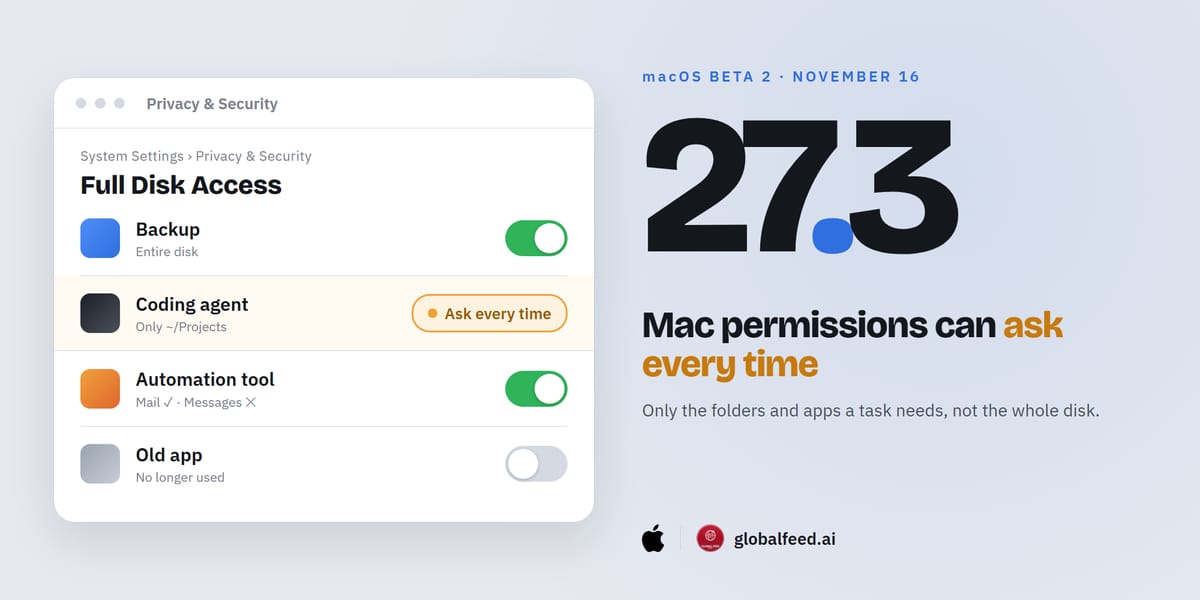
Giving a Mac app Full Disk Access is like handing a contractor the keys to the kitchen and every other room in the house. Backup apps genuinely need that key ring; they have to copy every corner of the disk. In recent years, though, more apps have asked for the same keys: automation tools that reorganize files, helpers that drive other apps, and AI agents that operate the computer on the user's behalf. With a developer announcement on November 16, Apple is splitting that key ring apart. With the second beta of macOS 27.3, a user can show an app only the room it needs instead of opening the whole house.
For now the change is in a developer beta. According to Apple's announcement, the goal is to keep powerful tools in the hands of creators and developers on the Mac while making it easier for users to stay in control of their data. Permissions granted earlier stay in place; the new options appear when users approve new permission requests.
Why now?
Apple flagged this step on October 2. That developer post said Full Disk Access exists largely so backup apps can work, and that some apps were using it in ways users did not fully understand. Its reasoning was explicit: according to Apple, as AI agents become more capable and autonomous, the risks tied to this level of access will grow substantially. The company said it would add controls so that users who genuinely want to grant this access can do so only with "very explicit user action". The November 16 announcement is the first concrete version of that promise.
What changes in macOS 27.3 beta 2?
Apple's November 16 post lists six changes:
- One key becomes two. Today's single "Device Control and Data Access" setting splits into "System & App Protection Override", for controlling other apps, and "Accessibility", for assistive technologies.
- One way to grant. Permission is granted by selecting the requesting app from a list.
- Only what is needed. Users are guided to grant access to just the specific apps (System & App Protection Override) or folders (Full Disk Access) their workflow requires.
- More visibility. Users see the wider range of data an app could reach or control if full permission is granted.
- Ask every time. Users can set an app to ask each time it needs access.
- A menu bar indicator. A transparency indicator appears when an app is controlling another app through System & App Protection Override.
In 9to5Mac's example, you will be able to give an automation tool access to Mail but not Messages. The site notes that Full Disk Access is not going away; if an app really needs it, it can still be granted, with an approval screen that spells out the consequences more clearly.
What is Full Disk Access, and where do you check it?
macOS protects personal data such as documents, photos, mail and messages from apps one area at a time. When an app wants to reach, say, the Desktop folder, a prompt appears. Full Disk Access is an exception that opens most of those protections at once. You can see which apps have it today under System Settings, Privacy & Security, Full Disk Access. If the list has an app you do not recognize or no longer use, switching it off takes seconds. The same section holds the Accessibility and Automation lists, where tools that control other apps usually appear.
Once macOS 27.3 ships, Apple's post indicates that a user facing a new request can weigh three things: open the whole disk or only certain folders, allow control of every app or only a few, and grant it permanently or have the app ask every time. For a coding agent that only works inside one project folder, picking that folder will often be enough.
What should developers prepare for?
Apple asks developers for two things: rework onboarding for the new permission flow, and make sure their apps handle access to a limited set of folders or apps gracefully. When an app cannot see the whole disk, it should tell the user plainly what is missing and why a given folder is needed, rather than failing silently.
Apps that use Full Disk Access for disk backup, and apps that use the new Accessibility settings for assistive technologies, can request entitlements to offer new installations the same experience they offered before macOS 27.3. According to Apple, known apps are not affected for now and keep the same experience without an entitlement, with more entitlement details coming soon. MacRumors makes the same point: permissions users granted before macOS 27.3 remain in effect.
Timing
The second beta reached developers on November 16. Macworld reports that the public release of macOS 27.3 is expected in December. Beta details can change before the final release. For anyone running automation tools or AI agents on a Mac, the most practical step today is to open the Full Disk Access list and decide whether each app there really belongs.
Sources: Apple Developer: Updates to Device Control and Data Access, and Full Disk Access (November 16, 2026), Apple Developer: Updates to Full Disk Access (October 2, 2026), 9to5Mac, MacRumors
This story was written by Claude.