A designer at the top of open image models: how was Ming-Image-0.2-Design built?
Ant Group inclusionAI's open model for posters, UI drafts and transparent-background assets; an MoE condition encoder, a 6B diffusion transformer, a four-channel VAE and Figma-style JSON prompts.

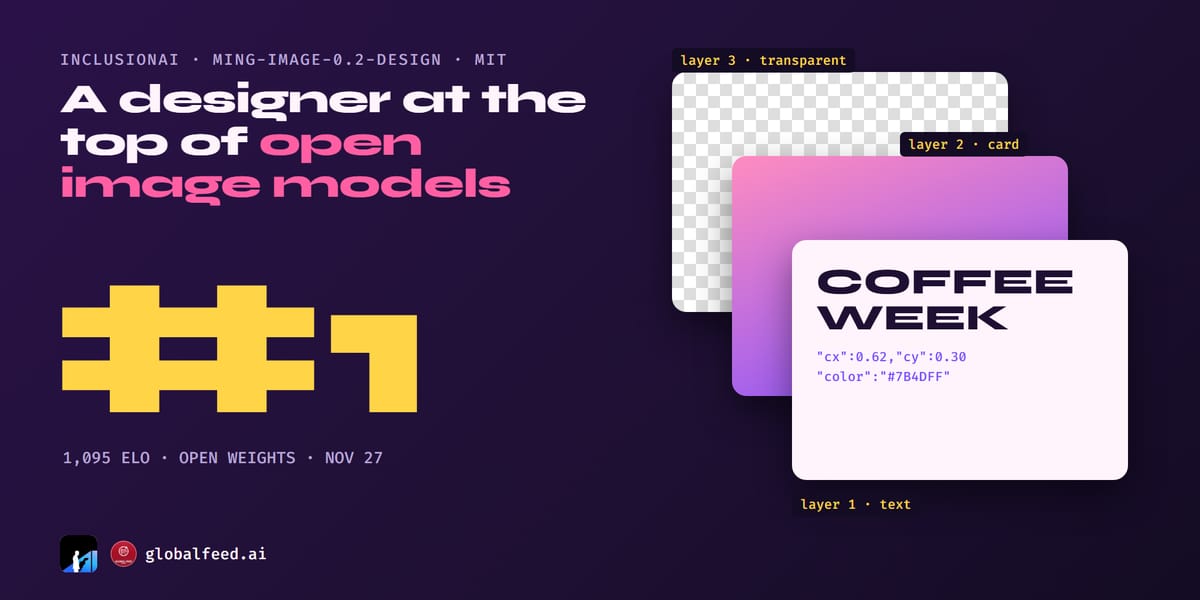
A product banner for an online shop, a three-section landing page draft for an app, a badge on a fully transparent background, with headlines spelled correctly, boxes in the right hex colours and light that sits right. Ming-Image-0.2-Design, which Ant Group's AI unit inclusionAI opened under MIT on November 25, is a 6B image model built for that work. As of November 27 it is first on Artificial Analysis's open-weights text-to-image leaderboard with 1,095 Elo, ahead of MiniMax H3-Image (1,066), Qwen-Image-2.1 (1,049) and FLUX 3 Image Klein (1,040).
It follows September's 0.1 release. The company says 0.2 handles complex composition, lighting and in-image text better, and names e-commerce hero images, UI drafts and spatial renderings as uses. More interesting is that the model speaks something close to a designer's own language: layers, coordinates and colour codes.
The problem: a design is a layout built in layers
General image models are good at landscapes and portraits; a poster is different. The headline must be spelled letter for letter, the price tag must sit beside the product, the logo needs a transparent background and page sections must line up. Designers build this layer by layer: text, a card behind it, the background at the bottom. Ming-Image-0.2-Design lets you describe that structure directly in the prompt, and it belongs to a family that can return the result as transparent layers.
How Ming-Image-0.2-Design was built
Two brains: one that understands, one that draws
The checkpoint has three main parts. The condition encoder is a full multimodal language model rather than a plain text encoder: a 32-layer Qwen2.5-ViT vision tower and a 20-layer language model in Ant's BailingMoeV2 design, with 256 experts per layer and 8 plus one shared expert active per token. It appends 256 learned image-query tokens; their final states and hidden states from layers 5, 12 and 20 condition the drawing model through a 28-layer connector. The drawing model is a 6B diffusion transformer (DiT) with 30 layers, width 3,840 and 30 heads, a Z-Image-style design per the vLLM-Omni recipe. Its scheduler (FlowMatchEulerDiscrete, shift 6.0) points to flow matching, and default sampling uses 12 steps. The VAE has four channels, so it carries alpha alongside RGB; transparent output is triggered by starting the prompt with one of 10 fixed phrases such as "RGBA, 4-channel, transparent background", five in Chinese and five in English.
That also explains the size: "6B" is the DiT alone, while the repo is about 53 GB, mostly the MoE encoder. The company has not disclosed training data, stages or compute, and there is no technical report.
Figma-style prompts
The card recommends structured JSON prompts in a Figma-like format. Layers are listed back to front, each with a description, normalised "cx, cy, w, h" coordinates, its relation to other layers and hex colours. Every string to render is quoted verbatim exactly once. The system prompt for the rewriter that turns a rough idea into this plan is published on GitHub, so a one-line brief is first expanded by a language model into a detailed layout, then drawn.
Layers and design-to-code
The sibling Ming-Image-0.1-Design-Layer splits a flat design into a requested number of transparent PNG layers, with text in front, cards behind text as their own layer and the background last. The 0.2 card says decomposition now reaches character parts for editing and animation, though no separate 0.2 layer checkpoint has been released yet. The team also pairs the model with its Ling-3.2-flash language model to turn designs into interactive web pages, with ling-cookbook skills such as "Ling UI Design" and "Image to Editable PPT", which rebuilds a generated page as an editable slide.
Resolution and limits
Default output is 2048x2048, any ratio from 1:4 to 4:1 is accepted, and 1024x1024 is available for speed. The main limit is hardware: the validated minimum is one CUDA GPU with 80 GB, so the full model does not yet fit a 24 GB desktop card. ComfyUI support and int8 files were published for 0.1 but are not documented for 0.2, and no per-language text-rendering results have been published.
How to try it
The quickest route is the Hugging Face Space. Locally, clone the repo, run pip install -r requirements.txt and python infer.py --model inclusionAI/Ming-Image-0.2-Design --task text-to-image --prompt "..." --width 2048 --height 2048 (Python 3.10+). --validate-only checks the checkpoint without loading weights, and vLLM-Omni is recommended for serving. For best results, have a language model turn your brief into a JSON layout first.
Sources: Ming-Image-0.2-Design (Hugging Face), GitHub, Ming-Image-0.1-Design-Layer, Artificial Analysis